
Image Alt Text for SEO: How to Write Descriptions That Actually Rank
Search bots cannot see your images. How to write alt text that ranks in Google Images and serves screen readers, when to leave it blank, and how to find every image missing it.

A huge share of all searches happen on Google Images, and yet most site owners treat image alt text as an afterthought, or skip it entirely. That is a quiet, compounding mistake. Every image you publish without a description is a ranking opportunity you hand to a competitor who bothered to write one.
The core problem is simple once you picture it from the search engine's side. Bots cannot see your images. If you upload a file called IMG_9876.jpg and leave the alt text blank, Google has no idea whether it is a wedding cake, a crankshaft, or a cat, so it cannot rank the image and it learns nothing about the page around it. Alt text is how you translate a picture into the words a search engine and a screen reader can actually use. This guide covers how to write alt text that serves both, the formula for getting it right, when to leave it blank on purpose, and how to find every image on your site that still needs fixing.
What is alt text, and why does Google care?
Alt text, short for alternative text, is a description you attach to an image in your HTML with the alt attribute, like <img src="table.jpg" alt="Round oak dining table with four chairs">. It was created for accessibility, and that remains its first job. Screen readers read the alt text aloud so people who cannot see the image still understand what it shows, and Google consistently rewards sites that are genuinely accessible. Writing good alt text is one of the highest-value accessibility wins available, and it happens to help your SEO at the same time.
For search engines, alt text provides contextual relevance. It tells Google not just what the image depicts, but how that image relates to the words around it, which strengthens the page's overall topic. And there is a direct bonus: alt text is the main way your images earn rankings in Google Image Search, a large and often-overlooked second stream of traffic that sends people straight to your page. Google's own image SEO guidance leans on descriptive alt text as a primary signal for exactly this reason.
What is the formula for writing perfect alt text?
The formula is one rule with three constraints, and it is easy to remember. The rule is the phone-call test: describe the image as if you were explaining it to someone on the phone who cannot see it. If your description would help that person picture it, it will help a screen reader and a search engine too.
From there, three constraints keep it sharp. Be specific, because detail is the whole value. "Laptop" tells no one anything, while "a woman typing on a silver laptop in a coffee shop" paints the actual picture. The test is whether someone could pick your image out of a lineup from the description alone. "Dog" fails it; "a golden retriever puppy chewing a tennis ball on a lawn" passes. Keep it concise, ideally under about 125 characters, since many screen readers cut off descriptions longer than that and a rambling alt is worse than a tight one. And use your keywords naturally, meaning include a target keyword only when it honestly describes what is in the image. If the picture genuinely shows the thing you want to rank for, the keyword belongs there. If it does not, forcing it in is just stuffing, and it helps nobody.
Good vs. bad: alt text examples in action
The spectrum is easiest to see on a single image. Picture a photo of a wooden dining table, and look at how the same picture gets described three ways.
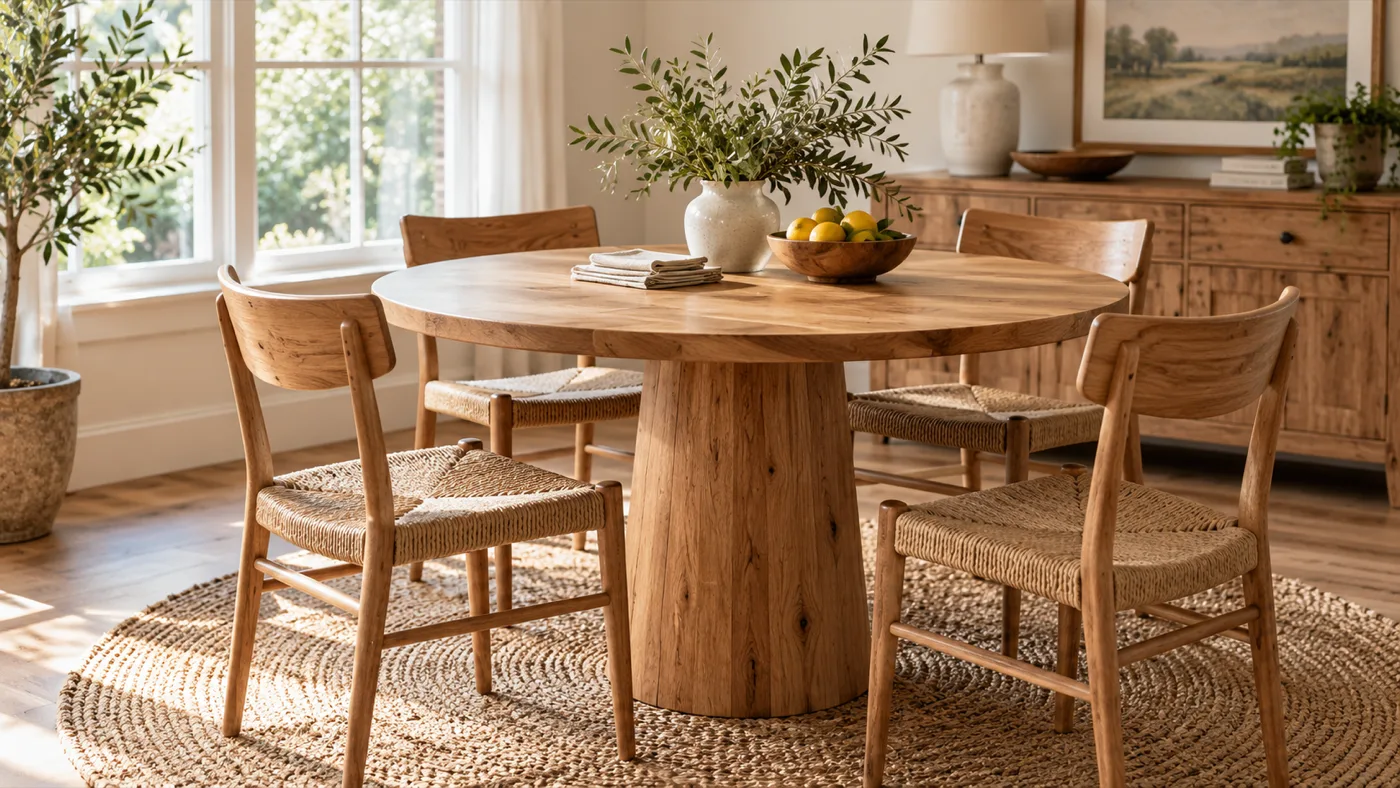
The lazy version is alt="table". It is technically filled in, and it is useless, because it throws away every detail that makes the image specific. The keyword-stuffed version is worse: alt="wooden dining table buy dining table cheap furniture online" reads as spam to both a screen reader user and a search engine, and that kind of manipulation can work against you rather than for you. The good version is alt="Round oak dining table with four matching chairs on a rug". It is specific, it is concise, and anyone hearing it read aloud knows exactly what is on the screen. Same photo. Three descriptions. Only one of them earns the ranking.
One quick pro tip that trips up almost everyone at first: never start alt text with "Image of" or "Picture of." A screen reader already announces that the element is an image before it reads your text, so those words just make it say "image, image of a dining table." Jump straight to the description.
There is one case the phone-call test does not quite cover: functional images. When an image is also a link or a button, such as a logo that returns to the homepage or a magnifying-glass icon that runs a search, the alt text should describe the action or destination, not the picture. The alt for a clickable logo is "Home," not "company logo," because home is where activating it takes the user. Describe what the image does, not what it looks like, whenever it does something.
When should you actually leave alt text blank?
Not every image needs a description, and knowing which ones to skip is part of doing this well. Purely decorative images should have an empty alt attribute, written as alt="". That is not the same as leaving the attribute off entirely; the empty attribute is a deliberate signal that says "this image carries no information, skip it." Background patterns, stylized section dividers, and generic UI flourishes all fall into this bucket.
The reason is the screen reader experience. If you dutifully describe every decorative swirl and divider, you force a visually impaired user to listen to a stream of meaningless announcements between the content they actually came for, which is exhausting and frustrating. Describing visual fluff also spends crawl attention on images that mean nothing for search. So the discipline cuts both ways: write rich, specific alt text for images that inform, and an explicit empty alt for images that merely decorate. The question to ask is quick. Does the image inform? Describe it. Does it only decorate? Empty the alt and move on. Getting that distinction right is a mark of someone who understands the tool, not just the checklist.
How do you audit a site for missing alt text?
By hand, this is miserable. Finding missing alt text manually means right-clicking "Inspect Element" on every image one by one, or scrolling through hundreds of messy entries in a WordPress media library trying to remember which ones you filled in. On any real site it takes hours, which is exactly why it never gets done.
An automated local crawl turns that into a five-minute job. A crawler reads every page the way Googlebot does and produces a dedicated report for images, flagging every single one that is missing an alt attribute and grouping them by the exact URL where they live. Instead of hunting, you get a clean, prioritized checklist you can hand straight to a developer or a content writer: these pages, these images, these descriptions to add. This is one line item in a full on-page SEO audit, and it is among the easiest wins on the whole list.
Find every image missing alt text
One local crawl lists them grouped by the page they sit on, so you can clear the whole backlog in a single pass.
While you are fixing alt text, it is worth knowing it is the biggest image lever but not the only one. A descriptive file name reinforces the same signal, compressed files keep the page from slowing down, and explicit width and height on every image stop the layout shift that drags on your Core Web Vitals. Those speed and stability factors sit inside a full technical SEO audit and feed the mobile experience Google actually ranks, so the image you just described should also be light and sized.
Ten seconds per image, paid back for years
Writing a good description takes about ten seconds per image, and the return compounds quietly for as long as the page exists. Better accessibility for every visitor who relies on a screen reader. Stronger topical context for the page it sits on. And a standing entry in Google Image Search that keeps sending traffic without any further work. Few on-page tasks pay back so reliably for so little effort.
Do not let blank image tags drag down otherwise good pages. Point Crawlpit Monster at your site and let the on-page audit find every image missing alt text, grouped by the page it lives on, so you can fix the whole backlog in one pass. It runs on your own machine, works on staging sites before they launch, and keeps each crawl so you can confirm the gaps are closed.
Charlie Varma
Charlie Varma is a technologist, author and digital marketing strategist with 17 years of experience across technology, search engine optimization, performance marketing and go-to-market strategy. He approaches SEO as a combination of data, search intent, technical structure and informed decision-making rather than a collection of shortcuts.
Charlie writes about search engines, SEO tools, technical audits, keyword research, content strategy and performance analysis. He is also the author of two books covering AI SEO and marketing funnels. Known for separating useful insights from vanity metrics, he turns rankings, traffic and search data into practical actions that businesses and marketing teams can use.